The Moment Agentic Coding Finally Clicked for Me
“Jesus Christ.”
That was my exact reaction the first time I asked Cursor to scaffold a folder for a side project I was working on.
I wasn’t even trying to do anything fancy. I was working on a web app and I just didn’t want to waste time creating folders and boilerplate files.
So I typed:
“Scaffold a Python CLI app called
second_brain
. Use Click and SQLite.”
A few seconds later I checked the folder.
And this was sitting there.
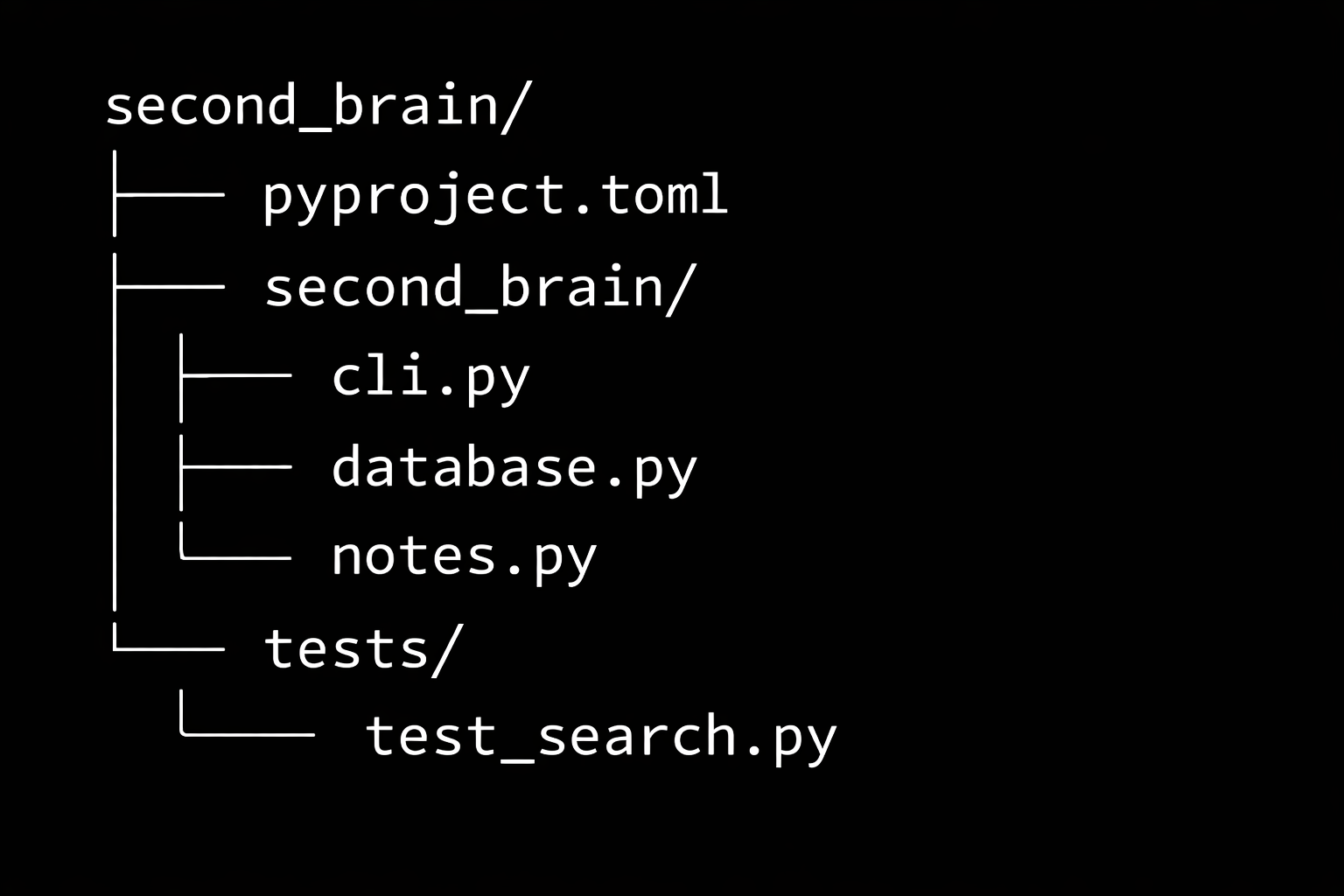
CLI entry point.
Database module.
Tests.
Not a snippet in a chat window.
An actual working project.
I ran the CLI just to see what would happen, it worked. That’s when it clicked for me.
This is what people mean by agentic coding.
Most people are still using AI like a better Stack Overflow.
You ask for code. Copy it. Paste it. Then spend 10 minutes fixing whatever broke.
Agentic coding feels different.
The AI isn’t outside your project anymore. It’s inside it.
It can read your files, understand the structure, edit code, run tests, and fix errors.
Which means instead of asking for code, you start giving it tasks.
The moment this really clicked for me was when I tried to add search to the project.
Normally that would mean opening a few files, writing a query, wiring it into the CLI, then debugging something annoying.
Instead I typed:
"Read the codebase and add full-text search across notes.
Write tests first
."
Then I just watched.
The agent opened the files, wrote the tests, implemented the feature, ran the tests, hit an error, fixed it, and ran them again.
All in the terminal.
I didn’t touch the keyboard.
When everything passed I said:
Commit and push.
It created a branch, wrote the commit message, and pushed the code.
By the time I opened GitHub the PR was already there.
That entire loop from idea to implementation to PR took minutes.
The biggest shift isn’t that AI writes code.
It’s that you stop thinking: “How do I write this?”
You start thinking: “How do I explain what I am trying to solve?”
One thing I learned quickly though: scope matters.
If the task is small and clear, these tools move ridiculously fast.
If the task is vague or huge, things get messy.
Break problems into small pieces and suddenly it feels like you have another experienced engineer working beside you.
And the first time you see it happen live in your terminal…
you’ll probably say the same thing I did.
“Jesus Christ.”
About the author
I help teams in fintech, Banking & Finance, and energy build and scale data systems that work in production from pipelines and analytics to models that support real decisions. This blog is where I share practical lessons from that work.
- Say hi: Connect on LinkedIn: I'm always open to conversations about data, analytics, and engineering.
- Consulting: I take on selective work helping organizations build and scale data platforms in Africa and similar markets. If you need a partner on architecture, delivery, or analytics, email me or visit the contact page.